

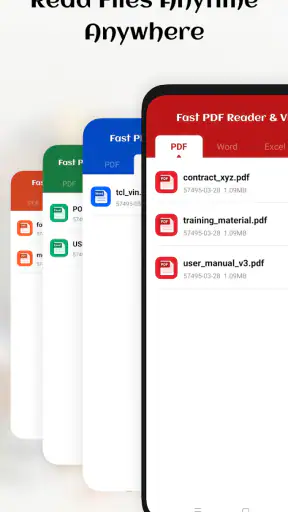
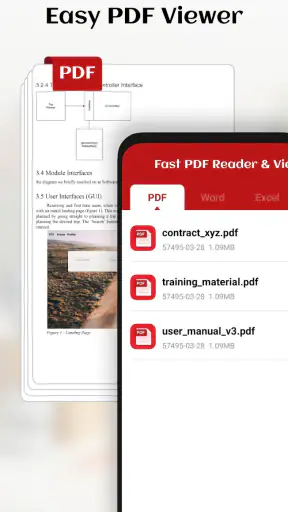
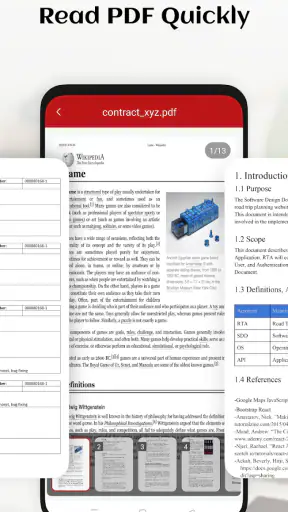
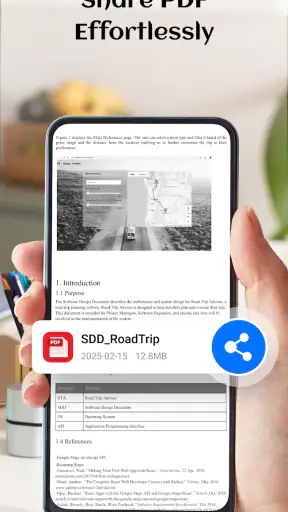
I often judge a PDF app by a simple household test: can someone open an unfamiliar document quickly without asking where it went, which account to use, or why the screen is filled with tools? Fast PDF Reader & Viewer is built around that straightforward need. It is a free business app from LuxPay Digital Service Limited, aimed at opening, viewing, and managing PDF files without turning the task into a project. After spending time with it, I found its appeal strongest on shared phones and tablets, where different people may need to check a bill, school form, work document, or travel confirmation.
The app is not trying to replace a full office suite. Its value is narrower and, in my view, more practical: it gives PDFs a dedicated place instead of making you hunt through a browser, messaging app, cloud folder, or file manager every time. That focus makes it easy to recommend to people who mainly read documents. It also creates a clear boundary: anyone expecting advanced editing, team workflows, or a complete document-management system should look elsewhere.
How it feels when a household shares one device
A realistic example is a family tablet used by several people. One person downloads a rental agreement, another receives a school permission form, and someone else saves a product manual from an email. With a general file manager, those documents can quickly become a messy mixture of downloads, screenshots, and duplicates. A dedicated PDF reader gives each person a more obvious starting point: open the app, locate the document, and read it without navigating through unrelated files.
This is where the app’s fast-reader identity matters. I appreciate that the main job is visible immediately. The experience is less intimidating than opening a broad productivity suite filled with writing, spreadsheet, signing, and collaboration options. For a relative who only needs to read a PDF, that smaller scope can be a genuine advantage. It reduces the chance of tapping into a feature they do not understand or accidentally changing the document.
There is also a useful distinction between “shared device” and “shared account.” The app can help people find PDF files on one device, but that does not automatically create separate personal spaces. I would therefore treat it as a shared reading tool, not as a family document vault. If several people use the same tablet, each person should be careful about which files remain visible and where sensitive documents are stored.
My practical habit would be to open a document, finish the task, and then return to the device’s normal file organization rather than leaving confidential paperwork in a common downloads area. That is especially important for tax forms, medical letters, identity documents, and employment paperwork. The reader makes access convenient, but convenience should not be confused with privacy separation.
Useful for quick reading, less suited to collaborative work
For an everyday reader, the strongest workflow is simple: receive a PDF, open it, inspect the pages, and keep it available for later reference. This covers invoices, instructions, menus, schedules, application forms, and documents attached to messages. I also like the idea of using it as a “first check” before deciding whether a file needs to be printed, forwarded, or handled in another app.
The trade-off becomes clear when more than one person needs to work on the same file. A household may want to discuss a document together, add comments, complete fields, or sign it. A focused viewer is not automatically the best tool for those jobs. In that situation, I would use Fast PDF Reader & Viewer to inspect the original and then move to a specialized editor, signing service, or office application when the task requires changes.
That separation is healthy. It prevents a reader from pretending to be an all-purpose document platform, and it helps users choose the right tool for the job. If your normal routine is reading rather than editing, the focused approach feels efficient. If your routine involves repeated revisions, approvals, or shared annotations, the app may become only one step in a larger process.
Setting it up without blurring personal boundaries
Because the app is free and carries an Everyone content rating, it is easy to consider for a mixed-age household. It is available for devices running Android 7.0 or later, which makes it relevant to people who keep an older phone or tablet in daily service. The current version is 7.0.8, so I would still check that the device meets the operating-system requirement before planning to use an older spare device.
On a shared device, the first setup decision is not really about the app itself; it is about the device’s file structure. I would create a clear habit for saving documents into recognizable folders before expecting everyone to find them. For example, household paperwork, school material, and personal work files should not all be left together in one undifferentiated download area. The reader can make PDFs easier to open, but it cannot replace sensible storage habits.
This matters because a PDF app often becomes the place where people discover documents they forgot existed. A file may have been downloaded by one person and later opened by another. Without clear names and folders, the convenience of a central reader can reveal more information than intended. I recommend using descriptive filenames that identify the purpose without putting unnecessary sensitive details in plain view.
Another boundary is device ownership. On a personal phone, keeping documents available for quick access may be perfectly reasonable. On a family tablet, I would avoid treating the app as a private archive unless the device already has reliable user separation. The app’s role is to read and manage PDFs; it should not be presented as a substitute for operating-system profiles, secure storage, or a dedicated private account.
A small workflow that prevents confusion
My preferred household routine would be:
Save incoming PDFs into a folder that matches the person or purpose.
Open them in the reader for a quick page-by-page check.
Rename or relocate important files before downloading more documents.
Remove temporary files once the task is finished, especially on a shared device.
This approach is more useful than simply installing another app and hoping it will organize everything automatically. It also makes handoffs easier. If one person asks another to review a school form or instruction sheet, the file has a clear location and name instead of being buried among unrelated downloads.
I would not describe this as a full document-management workflow, and that is an important limitation. The reader helps with access and viewing, while the household still needs to decide who owns a file, who may change it, and when it should be deleted. That division of responsibility is easy to overlook when an app makes opening documents feel effortless.
Coordinating documents between people
Fast PDF Reader & Viewer makes the most sense when coordination means “everyone can open the same kind of file.” A parent can check a timetable, a student can read an assignment, and another adult can inspect a warranty document without installing a different reader for each situation. That consistency is valuable, particularly for people who are not comfortable with complicated software.
Still, viewing is not the same as coordination. If two people need to track changes, compare versions, or confirm that a form has been completed, the reader alone may not provide the process they need. I would use it as the common viewing point, then agree on a separate method for naming versions and communicating decisions. Even a simple filename convention can prevent the classic problem of opening an old attachment and assuming it is the latest copy.
One non-obvious benefit of a dedicated reader is that it can act as a neutral checkpoint. Before sending a PDF to someone else, I would open it and inspect the pages at normal reading size. This catches practical problems such as a document being incomplete, pages appearing in an unexpected order, or important content being difficult to read on the device. A browser preview may be enough for a glance, but a dedicated reader encourages a more deliberate check.
Another useful habit is to separate “reference” files from “action” files. A manual or timetable can remain available for reading, while a form requiring a signature or a document needing corrections should be moved into a workflow designed for those actions. This distinction keeps the reader from becoming cluttered with files that are waiting for work rather than simply being read.
For shared-device coordination, I would also avoid assuming that the newest visible file is the correct one. A PDF reader can show documents, but people still need to communicate which version matters. If a household regularly exchanges revised forms or schedules, a cloud-storage system with clearer version handling may be a better companion. The app remains useful for opening the final copy, but it should not be expected to solve coordination by itself.
Where it compares well with usual alternatives
The usual alternatives are a browser’s built-in PDF view, a general file manager, or a large office suite. A browser is convenient when a document is opened directly from a webpage, but it is less appealing when the same file must be found again later. A file manager gives broader control, yet it can feel technical for someone who only wants to read. An office suite may offer more capabilities than necessary and can make a simple reading task feel heavier.
This app sits between those choices. It is more focused than an office suite and more dedicated than a temporary browser preview. That makes it a sensible choice for a household that handles many PDFs but rarely edits them. The compromise is that users may still need another app for writing, converting, signing, or detailed collaboration. I see that as acceptable for a reader, provided expectations remain realistic.
Its public reception also suggests that the basic idea is resonating: the app has a 4.5 average from around 3.4 thousand ratings and has passed one million installs. Those figures do not tell me whether it fits every device or every workflow, but they do indicate that it has found a substantial audience. I would still judge it by the kind of PDF work you actually do rather than by popularity alone.
Age, trust, and sensible use around children
The Everyone rating makes the app approachable for a family device, but an age label does not decide whether every document is appropriate to open. A child may use the reader for worksheets, reading material, or a timetable, while adults may use the same device for financial or medical paperwork. The important boundary is the document and the device context, not merely the app’s general category.
For younger users, I would keep school PDFs in a clearly named folder and avoid mixing them with adult paperwork. This is not because the reader is a children’s app; it is because a shared screen can expose whatever is stored nearby. A simple folder structure and a habit of closing documents after use can make the experience more comfortable for everyone.
Trust also matters when one person asks another to open a file. A PDF can look official without being trustworthy, so I would not treat the app as a safety check for the document’s source. The reader’s job is to display the file. Before acting on an invoice, form, or request for personal information, I would verify who sent it and why. This is particularly important when a child or less technical relative is using the device.
For adults helping children, the app can be useful because the reading task is uncomplicated. A parent can open a worksheet, enlarge the view if needed through the device’s normal display controls, and hand the device over without introducing a full productivity environment. But if the child needs to fill in fields, draw on pages, or submit work, another tool may be more appropriate.
I also would not use a shared PDF reader as a substitute for a child’s separate device profile or supervised account. Those controls belong at the operating-system or service level. The app can support reading within a family routine, but it does not define who may access every file on the device. Keeping that distinction clear is one of the most important trust considerations here.
Performance expectations and everyday friction
The app’s promise is speed, and that promise is most convincing when the task is immediate. I want to tap a PDF and start reading rather than wait through a maze of unrelated functions. On an older device, a focused reader may also feel more comfortable than a large suite, although the actual experience will depend on the phone or tablet, the document, and the amount of storage available.
Large or unusually complicated PDFs are where I would be more cautious. A document with many pages, embedded images, or unusual formatting can challenge any reader. If a file behaves poorly, I would first try closing other apps, checking that the file finished downloading, and opening a fresh copy. If the document still needs specialized handling, a desktop viewer or a more advanced mobile PDF tool may be the better choice.
Managing files can also create friction. “Manage” sounds broader than simply reading, and users should think of it as part of the app’s document-access role rather than assume it provides a complete filing system. I found the most reliable approach is to keep important files organized outside the reader as well, so they remain understandable if the device changes or another person needs to locate them.
There is a subtle trade-off between convenience and clutter. The more PDFs a household keeps available, the more useful a central reader becomes, but the harder it becomes to distinguish active documents from old ones. I recommend a monthly cleanup for shared devices: remove expired forms, duplicate downloads, and temporary attachments. This is a small step, yet it prevents the app from becoming a digital pile of paperwork.
Who should choose it and who should pass
I would choose this app for someone who wants a straightforward way to open PDFs on Android, especially when the device is shared or when the existing file-opening routine feels scattered. It suits students reading course material, households checking forms and manuals, and workers who mainly need to inspect documents rather than edit them. The free price also makes it easy to try without committing money to a reading tool.
I would pass on it as the main solution if my daily work involved signing contracts, adding detailed annotations, filling complex forms, converting files, or coordinating revisions with a team. In those cases, an advanced PDF editor or office platform would reduce the number of times I had to move a document between apps. I would also look elsewhere if strong account separation were the central requirement, because that is a device and storage concern rather than something I would assume from a reader.
People who rarely open PDFs may not gain much from installing a dedicated app. A browser preview may be enough for an occasional document. The value increases when PDFs arrive regularly and need to remain easy to find. That is the point where a focused reader saves repeated steps instead of adding another icon to the home screen.
A practical household verdict
After using Fast PDF Reader & Viewer as a focused document tool, I see it as a sensible middle ground: simpler than a full office suite, more intentional than a browser preview, and easier to explain to someone who only wants to read a PDF. Its strongest household role is shared access to ordinary documents, provided people maintain clear folders and do not mistake viewing convenience for private account separation.
The app is developed by LuxPay Digital Service Limited, is free to use, and is positioned in the business category rather than as a general entertainment utility. Its Everyone rating makes it comfortable to consider for mixed-age use, while Android 7.0 compatibility keeps it relevant to some older devices. The release date of Jul 11, 2025 and current version 7.0.8 show that it is a relatively recent option, but my recommendation still depends more on your workflow than on freshness.
My final advice is to install it when your main question is, “How can I open and find PDFs more easily?” Use it alongside sensible file organization, especially on a shared tablet, and decide separately which documents should remain private, which can be handed to children, and which require another app for editing or signing. For uncomplicated PDF reading across a household, the focused approach is the real strength. If your documents routinely need collaboration or transformation, choose a broader tool and keep this kind of reader only as a convenient viewing option.


